> For the complete documentation index, see [llms.txt](https://docs.skeletonecosystem.com/skeleton-ecosystem/llms.txt). Markdown versions of documentation pages are available by appending `.md` to page URLs; this page is available as [Markdown](https://docs.skeletonecosystem.com/skeleton-ecosystem/features/multi-purpose-telegram-bot/buy-contest-creator-tool.md).
# Buy Contest Creator Tool
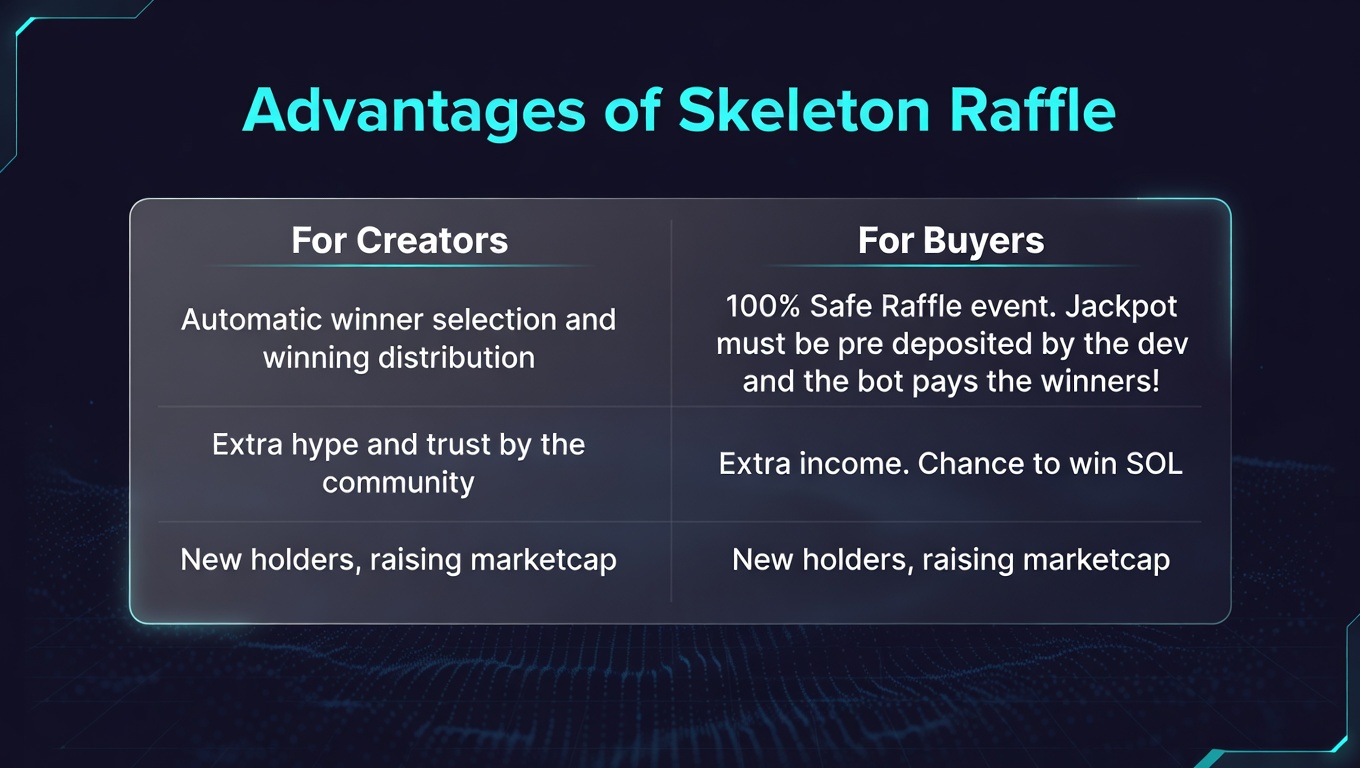
Using the Skeleton Raffle tool you can create 100% safe, pre-deposited Buy Contest events for your community, driven by skeletonpricebot to share some SOL for best holders
### Details
### Setup
To create a Buy Contest you need to have Skeletonpricebot in your group set. Paired with token contract address and telegram group link.
After this is done visit Skeletonpricebot and use the /raffle or /contest command. The Contest creator agent will popups with navigation buttons.
First You need to Choose the Contest Mode. There are 2 Options:
* **Draw by Date.** Using this mode you can create a buy contest to a date. This means you can set a time interval how long the contest is running. All eligible buys in this interval will be counted. The vent end when the timer is up. May be 1 legit entry or even 385 legit entries.
* **Draw by Entries.** Using this mode you can create a buy contest via entries. This means you can set how many spots can participate in the event. Example: 20 entries. If the first 20 legit entries are filled, the contest ends.
**After you choose the contest mode, you can start to set it up.**
#### **Draw by Date**
1. **Set your token CA.** Tap and answer with the token contract address you organise the raffle to. This token will the users need to buy and Hold.
2. **Set Jackpot.** Tap and set how much SOL you add to the Jackpot. For example: 1.5 In this case 1.5 SOL will be shared among the eligible winners. Minimum aloowed Raffle Jackpot: 0.2 SOL
3. **Set Winners.** Tap and set how many winners should the bot pick. Example: 3. In this case 3 Winner will be picked and this 3 winners will receive the shares of the Jackpot. Maximum allowed winners: 10
4. **Set Minimum SOL Buy.** Here you need to set how much sol the participants need to buy to be eligible in the contest. Default: 0.5 SOL. Minimum: 0.1 SOL Example: You set 3 SOL. if you set 1 winner than 1 buyer will take all 3 SOL, if you set 6 winners than 3/6=0.5 SOL each winners.
5. **Set Holding Period.** Tap and set how many Hours long the selected winners need to hold their tokens to receive the winnings. Example: 48. In this case the lucky holders need to hold their tokens 48 Hors long. after this time is up, the bot will distribute the winnings.
6. **Set Draw Date.** Tap and set a Date in UTC timezone when the Raffle Ends. The raffle start when you are ready with setup and deposit and tap start. So choose the date accurate to this. From start to Draw. Can be 1 hour from start or even up to 1 month from start. Note! Too long raffle intervals will only be effective if the winning is bigger.
7. After everything is set, the bot will generate a Raffle pot wallet address where you will need to send the Jackpot ammount. ***All blockchain fees are covered by us!***
8. Copy the address, send the ammount than tap Start Contest. Balance will be checked and if all good, the Raffle event starting up right away. Note! Balance can be filled also in parts before starting the raffle.
9. Start the Contest. A detailed popup will appear in your group, in skeletontrend, in skeletonlounge and in multichainevents channel too for huge exposure.
#### **Draw By Entries.**
* **Set your token CA.** Tap and answer with the token contract address you organise the raffle to. This token will the users need to buy and Hold.
* **Set Jackpot.** Tap and set how much SOL you add to the Jackpot. For example: 1.5 In this case 1.5 SOL will be shared among the eligible winners. Minimum aloowed Raffle Jackpot: 0.2 SOL
* **Set Winners.** Tap and set how many winners should the bot pick. Example: 3. In this case 3 Winner will be picked and this 3 winners will receive the shares of the Jackpot. Maximum allowed winners: 10
* **Set Minimum SOL Buy.** Here you need to set how much sol the participants need to buy to be eligible in the contest. Default: 0.5 SOL. Minimum: 0.1 SOL Example: You set 3 SOL. if you set 1 winner than 1 buyer will take all 3 SOL, if you set 6 winners than 3/6=0.5 SOL each winners.
* **Set Holding Period.** Tap and set how many Hours long the selected winners need to hold their tokens to receive the winnings. Example: 48. In this case the lucky holders need to hold their tokens 48 Hors long. after this time is up, the bot will distribute the winnings.
* **Set Goal Entries.** Tap and set how many spots should be available in the contest. The bot count all legit entries (Which are equivalent or above the minimum buy target). Example: You set 20 entries. In this case the contest ends and draw begins right after the first 20 legit buys.
* **Set Auto End Timer.** Tap and set a timer when the event should end even if not enough entries happen. Example: You set 50 entries but only 21 buys happen. Here you can set a timer between 1-7 days to close the event in any case. After this timer is up the bot will start to draw winners. Only the entries until thtis point will participate in draw.
* After everything is set, the bot will generate a Raffle pot wallet address where you will need to send the Jackpot ammount. ***All blockchain fees are covered by us!***
* Copy the address, send the ammount than tap Start Contest. Balance will be checked and if all good, the Raffle event starting up right away. Note! Balance can be filled also in parts before starting the raffle.
* Start the Contest. A detailed popup will appear in your group, in skeletontrend, in skeletonlounge and in multichainevents channel and on skeleton discord too for huge exposure.
After you succesfully start a raffle, the notifications about your event going to be added on all the buy popups of your token and contest status popup will appear after each 10% progress to keep the buyers in FOMO. This endorse more possible buyers to buy & hold your token.
After an event ends by date or by entries, skeletonpricebot will start to draw right away. Choosing winners from eligible entries. It will display the winners and notice them to hold at least until the must hold period ends. After the timer is up the bot sends the jackpot to winners.
### Exposure
All Buy Contest gets announced on Skeleton socials for the best possible exposure. There is also a self refreshing running Buy Contest list.
{% columns %}
{% column %}
{% endcolumn %}
{% column %}
Buy Contest Alerts on:
SkeletonloungeSkeletontrendSkeleton EventsSkeleton Discord
{% endcolumn %}
{% endcolumns %}
### Notices
* Only those winners receive their prices which holding their tokens until holding period ends. Those who sell before, getting disqualified in the re-check period. The winnings of the disqualified winners will be sent among the legit holders.
* To filter scammers, The authenticity of the Contest can be checked by tapping on the Raffle ID. Or copy the Raffle Id and paste it to skeletonpricebot to check!
* After a contest is created, jackpot is deposited and event started, it can not be stopped anymore. This keeps the community safe from fake events.
* If only one winner is selected and this winner sells before the holding period ends, the jackpot will be sent back to the address deposited to the event pot.



.png?alt=media&token=53ba5624-edc0-42f9-b8aa-911a629d72ff)


